HL Tech Insight Case Study
How We Built an AI Services Contact Router for HL Tech Insight
A practical automation case study showing how HL Tech Insight upgraded a contact form into a tested enquiry-routing workflow using Make.com, Cloudflare Turnstile, Google Sheets, Microsoft Outlook, route-specific auto-replies, and follow-up reminder tracking.
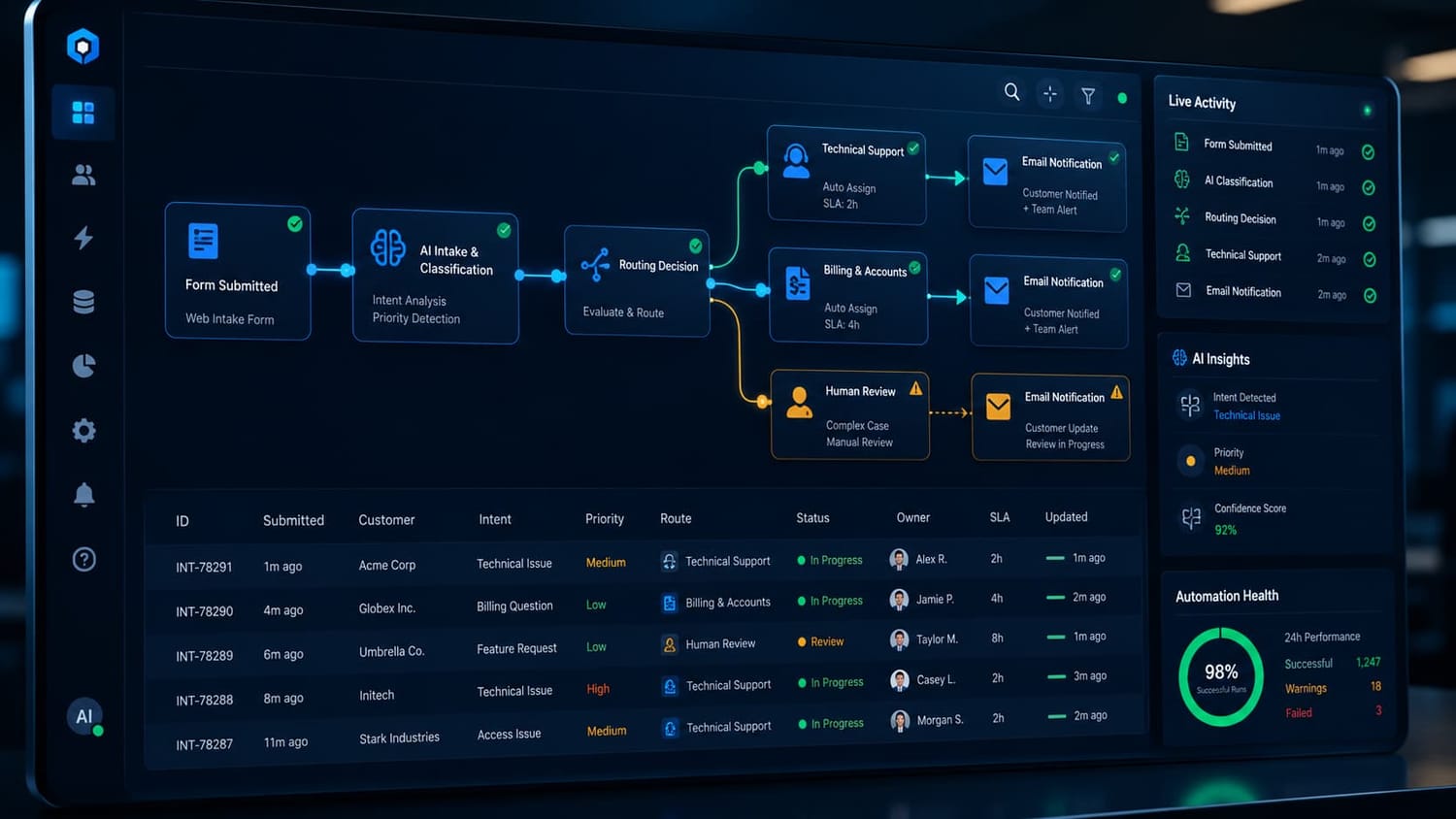
The Problem
A simple contact form can collect messages, but it does not automatically separate AI service enquiries, website issues, recommended tools questions, collaboration requests, Fit Ogo™ resource questions, privacy concerns, or general messages.
Without routing logic, every message requires manual review. That slows down response time and makes it harder to build a scalable service intake system.
The Goal
The goal was to turn the HL Tech Insight contact form into a smarter intake system that could validate submissions, classify enquiry topics, notify the right internal pathway, send relevant user auto-replies, and keep a structured record for follow-up.
Tools Used
This workflow connects practical business tools into one coordinated enquiry-routing system.
The Workflow
-
1. User submits the contact form.
The form captures source, timestamp, website/honeypot field, name, email, topic or service interest, related page, message, and Cloudflare Turnstile response. -
2. The automation validates the submission.
The intake gatekeeper checks anti-spam signals, including the honeypot field and Cloudflare Turnstile token. -
3. The submission is stored in Google Sheets.
Each enquiry is recorded with tracking fields such as status, priority, notification_sent, auto_reply_sent, follow_up_needed, follow_up_reminder_sent_at, last_follow_up_check_at, make_processed_at, and updated_at. -
4. Make.com routes the enquiry by service interest.
The routing dispatcher sends eligible AI Services enquiries into the correct worker path while unclear or non-matching submissions can be handled by fallback/manual review logic. -
5. Outlook sends internal notifications.
The internal notification includes key enquiry details and row-number traceability so the message can be located in the tracker. -
6. Outlook sends user auto-replies.
The user receives a relevant acknowledgement instead of a generic one-size-fits-all response. -
7. The sheet is updated after processing.
The automation records notification and auto-reply status so the system can be audited and improved later. -
8. Follow-up reminders are checked by Scenario 4.
The follow-up scheduler checks eligible AI Services rows, prevents duplicate reminders, updates follow-up timestamps, and supports a clearer lead follow-up workflow.
What Was Built
HL Tech Insight now has a production-stable Router v1.3 architecture that supports structured AI Services intake, automated routing, spam-aware form handling, internal notifications, user acknowledgements, fallback/manual review handling, and follow-up reminder tracking.
Current Status
Status: Production-stable and tested across the AI Services workflow.
Router v1.3 is validated across Scenario 1 Intake Gatekeeper, Scenario 2 Routing Dispatcher, Scenario 3 AI Services Email Worker, Scenario 4 AI Services Follow-Up Scheduler, and Scenario 5 Error and Manual Review Worker.
Why This Matters
This automation is more than a contact form upgrade. It is a working proof asset for the HL Tech Insight AI Services and future AI Automation Agency pathway.
It shows how a small business website can become a smarter operating system: capturing enquiries, protecting the form from spam, classifying service interest, notifying the right workflow, keeping follow-up records, and preparing repeated work for future productization.
Lessons Learned
- Contact forms become more valuable when they are connected to workflow logic.
- Route-specific auto-replies feel more professional than generic confirmations.
- Status fields make automation easier to audit and improve.
- Spam prevention should be handled before storage and notification.
- Follow-up reminders need duplicate-prevention logic.
- A tested internal workflow can later become a service offer, template, or automation blueprint.
Future Improvements
- Keep Router v1.2 frozen as rollback while Router v1.3 handles real enquiries.
- Monitor for duplicate emails or duplicate follow-up reminders.
- Refine optional fields such as UTM values and referral source when intentionally used.
- Do not over-expand Router v1.3 into a full all-topic Contact Us router.
- Design a future Master Contact Router v2.0 for broader non-AI contact topics.
- Consider a later Supabase migration for stronger app-style data management.
Service-to-Product Pathway
From Internal Workflow to Productized Service
After building and testing the HL Tech Insight AI Services Contact Router, the next step was to turn the workflow into a practical service offer for other small businesses, creators, consultants, and service providers.
The result is the Smart Contact Router Setup — a productized automation service that helps website owners turn basic contact form submissions into structured, trackable workflows.
What It Helps With
- Capturing enquiries from a website form
- Routing messages by topic or service interest
- Sending structured internal notifications
- Sending relevant user auto-replies
- Recording submissions in a tracker
- Updating status and follow-up fields
- Supporting manual review or fallback handling
Why It Matters
Many websites collect messages, but do not have a clear system for what happens next. A smarter contact workflow helps reduce missed enquiries, improves response consistency, and gives the business owner a clearer view of what needs attention.
This is where a smart website becomes more than a brochure. It starts to support real operations: intake, routing, tracking, reply consistency, and follow-up.
Interested in a similar setup?
HL Tech Insight can help you create a smarter contact form workflow with routing, tracking, auto-replies, fallback handling, and follow-up support.
Trust and Scope Notes
This case study documents a real internal automation workflow built for HL Tech Insight. It is not presented as a guaranteed business result, lead-generation guarantee, ranking guarantee, or income claim. The value is in the working system, the tested routing logic, and the repeatable automation pattern that can be adapted for future smart website and service enquiry workflows.
Need a Smarter Contact or Service Enquiry Workflow?
HL Tech Insight builds practical AI and automation workflows that help small businesses, creators, and digital projects capture enquiries, route messages, reduce manual admin, and create clearer follow-up systems.
Related pathways: Smart Contact Router Setup · Case Studies · AI Services · AI Resource Library · Recommended Tools
Note: Some recommended tools or future resource links may include affiliate links. HL Tech Insight aims to recommend tools based on usefulness, relevance, and responsible implementation — not commission alone.